GPU (graphics processing units) cloud computing is the delivery of GPU-based compute resources via cloud environments, enabling users to access powerful, scalable infrastructure without investing in or managing on-premises physical hardware. Initially adopted by graphics-heavy industries for rendering and simulation, GPU cloud computing has become foundational to modern high-performance computing (HPC) and AI workloads.
The ability to tap into cloud-native GPU clusters on demand has fundamentally reshaped how organizations approach compute-intensive workloads. Currently, GPU cloud computing powers a wide range of applications and use cases that require HPC workloads. These include deep learning tasks and large-scale model training to real-time analytics, scientific research, and generative AI. By providing flexible access to highly parallel processing power, it enables researchers and enterprises to accelerate time to insight, reduce capital costs, and scale development pipelines more efficiently than traditional on-premises systems.
This page offers a clear, practical foundation for understanding how GPU cloud computing works, how it compares to on-prem GPU computing, and its role in modern AI innovation at scale. We’ll also explore key use cases, architectural benefits, and relevance in AI workloads. By the end, you'll have a deeper understanding of how GPU cloud computing has become a key driver of technical innovation across industries.
How GPU cloud computing works
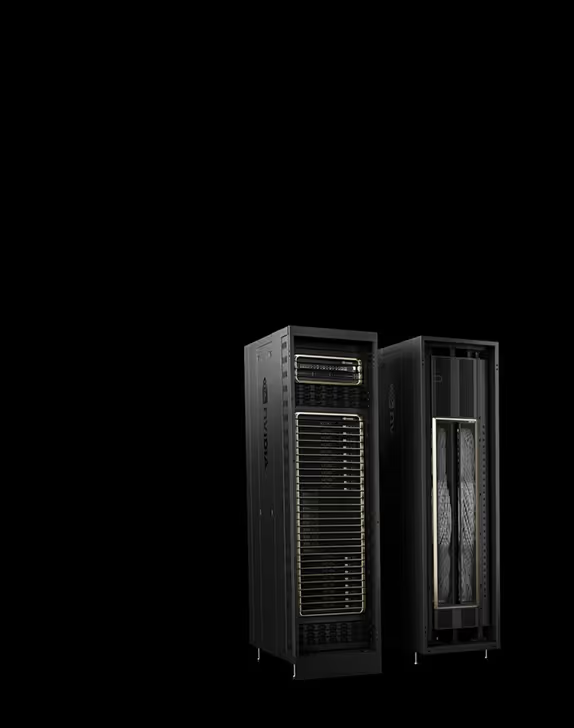
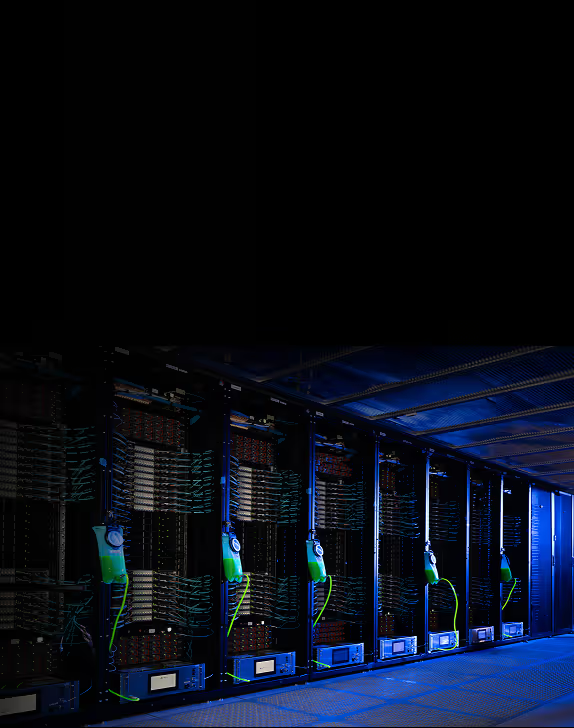
Data centers host GPUs on powerful, advanced servers, and rack-scale infrastructure making compute resources accessible to users over the internet through virtualized or containerized environments. These servers are typically built with high-density configurations, often including multiple high-performance GPUs paired with fast CPUs that offload and handle less specialized, lower-intensity processing tasks.
Servers also usually include:
- Large pools of RAM for holding massive datasets in memory during training or inference, reducing data transfer bottlenecks between system memory and the GPU; this supports deep learning workloads that rely on fast access to large input batches or model checkpoints
- High-speed NVMe storage that enables rapid loading of datasets, model weights, and temporary compute files, minimizing I/O (or input/output) wait times and keeping GPUs fed with data to maintain high utilization
- Low latency networking to support fast communication between GPUs across multiple servers, which is critical for distributed training and multi-node synchronization in large-scale AI workloads
Cloud providers often use different layers of abstraction to manage resource allocation, workload isolation, and job distribution across GPU clusters. Users can provision these GPUs on demand through APIs or cloud consoles, scaling resources up or down based on workload requirements.
This architecture allows organizations to run compute-intensive tasks, like training large language models or rendering complex simulations, without the cost- and time-intensive overhead of managing physical infrastructure.
On-prem vs. in the cloud
When it comes to high-performance computing with GPUs, organizations generally face a strategic choice: build and maintain on-premises GPU infrastructure or leverage GPU cloud computing. Each model offers distinct advantages and trade-offs, depending on workload scale, cost sensitivity, and operational agility.
On-premises GPU computing involves investing in physical servers equipped with GPUs and deploying them in a local data center. This approach provides full control over hardware, security, and system customization. However, building and maintaining a high-performance GPU clusters is complex, expensive, and often difficult to scale. And keeping up with rapidly evolving platforms to drive efficient long-term economics is challenging when you have committed to a specific on-prem infrastructure.
GPU cloud computing delivers on-demand access to powerful, scalable GPU resources hosted by cloud providers. Users can spin up GPUs with minimal setup, paying only for what they use. At the same time, there is less hardware-level control, data transfer costs, and recurring operational expenses that can accumulate over time.
GPU cloud computing use cases
GPU cloud computing plays a foundational role across a wide range of industries, enabling workloads that demand massive parallel processing, real-time responsiveness, and scalable compute capacity.
These use cases highlight GPU cloud computing’s ability to drive innovation in environments where speed, scale, and flexibility are critical.
Artificial intelligence and machine learning
- Model training: accelerate deep learning model training, especially for large-scale architectures like transformers and diffusion models
- Inference at scale: serve real-time predictions or generative outputs with low latency across global applications
- Experimentation: run multiple training jobs in parallel for hyperparameter tuning and rapid iteration
- Post-training: leverage various techniques to increase the reliability of models or agentic applications
Media and entertainment
- Rendering and visual effects: enable complex, compute-intensive rendering for animation, visual effects, and CGI with faster turnaround times
- Virtual production and streaming: support high-fidelity content streaming and real-time virtual sets
Finance and data analytics
- Risk modeling and simulations: run complex Monte Carlo simulations or real-time fraud detection
- Big data analytics: accelerate processing of large datasets for trend analysis, forecasting, or market modeling
Healthcare and life sciences
- Medical imaging: power high-resolution diagnostics using deep learning-based image analysis
- Drug discovery: speed up molecular modeling and genomics analysis with GPU-accelerated pipelines
How AI workloads use GPU cloud computing
To meet the high computational demands of model development, AI workloads leverage the unique benefits and advantages of GPU cloud computing. Many AI tasks, including training deep neural networks, fine-tuning large language models (LLMs), and performing real-time inference, require complex operations involving vast amounts of matrix multiplication and tensor calculations. GPUs, optimized for parallelism, are uniquely suited to handle these operations at scale.
Cloud computing extends this capability by making powerful GPU compute resources and infrastructure accessible on demand. This enables AI teams to iterate faster, scale training runs across thousands of GPUs, and handle growing model complexity without investing in on-premises hardware.
Training an AI model, which now contains billions or even trillions of parameters, requires processing enormous datasets over many iterations. This process can take days or weeks if compute is limited. GPU cloud computing addresses this by providing elastic clusters that enable distributed training, including splitting model computations across many GPUs simultaneously. High-performance networking and orchestration layers in the cloud further enable model parallelism and data parallelism, allowing workloads to scale efficiently without hitting memory or bandwidth bottlenecks. Additionally, cloud providers often offer specialized GPU instances with features like NVLink and high-bandwidth memory, tailored to accelerate AI development.
Inference workloads, where models run in production to test and generate outputs, are another area that benefits from GPU cloud computing. When serving models to millions of users in real time, low latency and high throughput become mission-critical. Cloud environments enable inference workloads to autoscale, balancing cost and performance as demand fluctuates. This flexibility is especially important for applications such as recommendation systems, voice assistants, and generative AI tools, where responsiveness directly affects the user experience.
Essentially, GPU cloud computing gives AI researchers and developers the ability to match compute resources to workload complexity and demand, turning infrastructure from a bottleneck into a competitive advantage.